BOKUvote

Taking student-teacher interaction to a new level
Live voting during the lectures
Audience Response System
Would you like to organise a poll or quiz as part of your course? Capture a quick picture of the mood? Or create flashcards for exam preparation? The new BOKUvote tool makes all this possible.
Transition phase
The previous transition phase has ended. The legacy system (vote-archiv.boku.ac.at) is no longer available. From now on, only the new version of BOKUvote is available.
In the following sections you will find information on how to use the new version of BOKUvote).
Objective
This tool makes it possible to create various survey elements in order to involve large groups of students in the course. They can use their mobile devices (smartphones, tablet computers or similar) to participate anonymously in the relevant activities - whether in the lecture theatre, on the move or from home. Interaction can take place before, during and after an event or completely asynchronously, as required. The audience response system is based on the Particify software.
Instructions
It is not necessary to register to take part in activities.
Use BOKUvote as a participant:
- Use the QR code or link provided by the course management. This will take you directly to the room with the activities.
- Alternatively: Go to the page vote.boku.ac.at. Enter the room number communicated by the course management in the ‘Room no.’ input field.
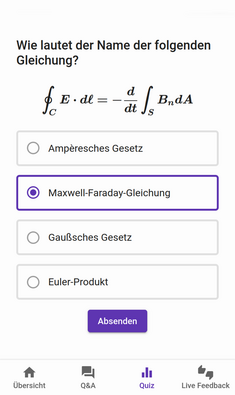
- You can now take part in the activities created (e.g. quizzes, surveys, word cloud).
The activities take place in ‘rooms’, which are created first. A login is required to create a room or activities.
Login to BOKUvote and first steps as a room creator:
- Visit the page vote.boku.ac.at .
- Click on the person symbol in the top right-hand corner and select ‘Login’ from the list that appears.
- Log in with your BOKUonline access data.
- You will be redirected to your personal start page.
- Select ‘Create room’ and name the room.
- You can now start creating content.
Further information on using BOKUvote can be found:
- in the corresponding manual
- in the FAQ
- in a didactic guide provided by the University of Graz
Training courses
There are regular training courses on the use of BOKUvote (for the current dates, please see the training program).
Contact
If you have any questions, please do not hesitate to contact us at the e-mail address e-learning(at)boku.ac.at.