If you are still signed in to applications or to OneDrive with an ...@office365.boku.ac.at account, you need to TAKE ACTION!

Data from OneDrive

  • Download all files from your …@office365.boku.a.cat - OneDrive account to a local storage device.
  • Upload the files back to your …@boku.ac.at or …@students.boku.ac.at OneDrive account.

Installed applications

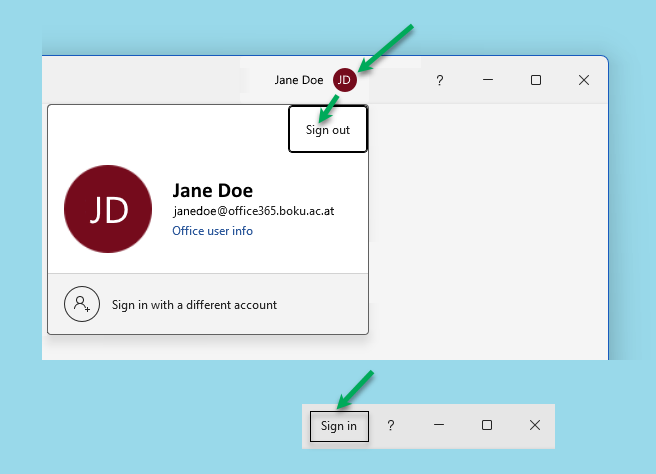
Sign out of Microsoft 365 applications.
You can find instructions for various operating systems on the following page:

Log in again with your BOKU standard e-mail address.

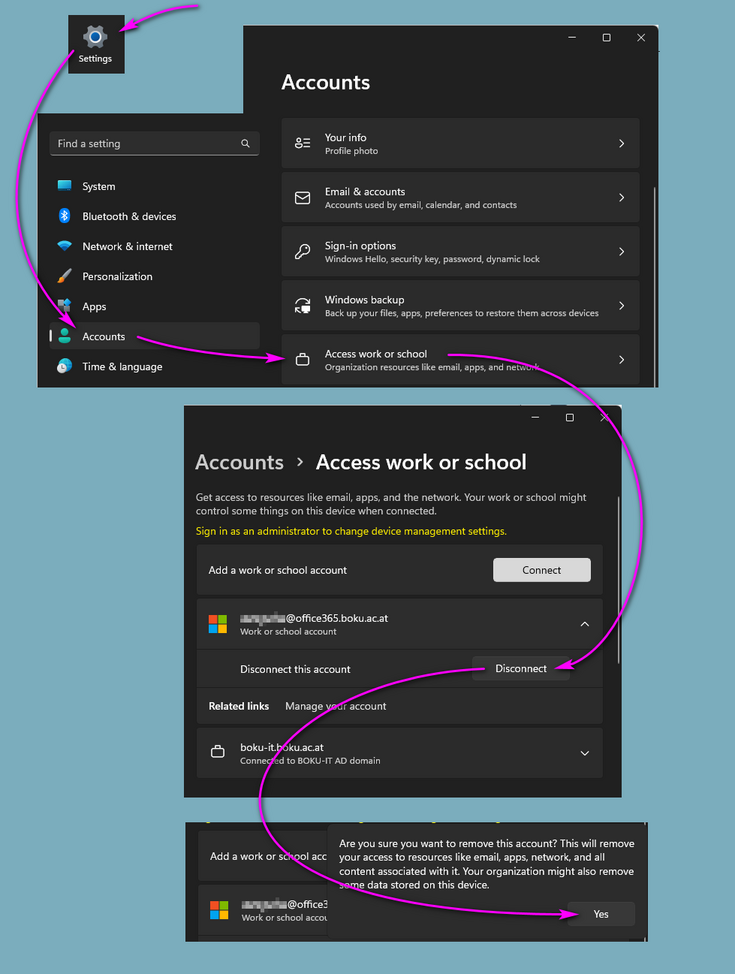
Deactivate  'Allow my organization to manage my device':